How to Organize Paperwork and Important Documents at Home
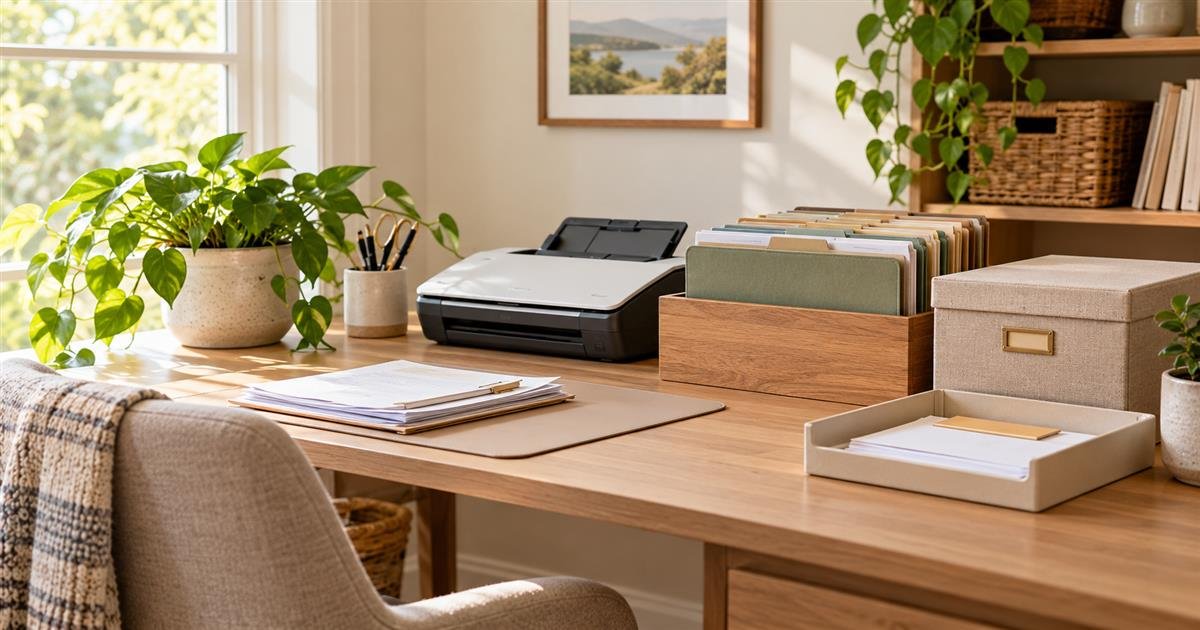
Paperwork becomes stressful when every document is treated as equally urgent. A simple home system separates items that require action soon from records worth keeping and papers that can be recycled after a quick review.
Start With a Safe Sorting Session
Choose a table or clear counter and gather loose mail, school notices, receipts, manuals, and documents from one small area. Do not empty every drawer in the house at once. Make four categories: action needed, keep and file, review later, and recycle or shred. Sensitive documents containing account numbers, health information, or identification details should be kept out of open view while you sort.
Open mail near a recycling bin, remove envelopes and inserts, and decide what must happen next. A bill with a due date belongs in action needed. A warranty may belong with appliance information. An old promotional offer usually does not need storage. If you are uncertain, place the item in a limited review folder with a date to revisit it rather than creating an endless maybe pile.
Create a Filing System You Can Maintain
A filing system does not need many categories. Begin with broad labels such as home, health, insurance, taxes, vehicles, school, and personal records. Use a portable file box, a locking cabinet, or another dry secure location that fits your household. Keep active documents separate from long-term records so everyday papers do not bury important items.
For example, a home folder can hold current lease information, repair receipts, and manuals you actually use. A tax folder can collect documents for the current year, while older records can be stored separately according to your needs and professional guidance. Avoid leaving documents with sensitive details in a visible command center or open basket.
Build a Weekly Paper Routine
Choose one short time each week to open mail, pay or schedule bills, file records, and empty the action tray. A routine of ten minutes is often more reliable than a large filing project once or twice a year. Keep a pen, envelopes, and a recycling bin nearby so completing small tasks does not require a search for supplies.
If more than one adult manages paperwork, agree on where action items go and how completed tasks are marked. A simple note such as “paid,” “called,” or “filed” can prevent duplicate work. Review shared digital accounts and passwords separately and store them securely; do not write sensitive access information on a paper board that visitors can see.
Decide What Deserves a Paper Original
Not every record needs the same treatment. Keep original documents that may be difficult to replace or that an institution may require, such as birth certificates, passports, Social Security cards, property records, vehicle titles, legal agreements, and signed estate documents. Store them in a locked, dry location that is protected from casual access. A fire-resistant document box can be useful for a small collection, although it is not a substitute for reviewing the product's water and fire ratings or for keeping a secure digital reference list.
Many routine items can be filed for a limited period instead. Health explanations of benefits, pay stubs, utility statements, and purchase receipts may be useful until an issue is resolved, a return window closes, or tax preparation is complete. Retention needs vary by document and household circumstances. For tax records, business matters, property transactions, or legal questions, follow guidance from the relevant agency or qualified professional rather than relying on a one-size-fits-all schedule.
Protect Personal Information While You Organize
Paper clutter can also create a privacy problem. Preapproved credit offers, bank statements, medical paperwork, and documents with account or identification numbers should not go directly into an open recycling bin. Use a cross-cut shredder for sensitive pages or a trusted community shredding service when it is available. Before donating an old computer, printer, or filing cabinet, remove any stored documents and follow the manufacturer's instructions for clearing personal data.
Keep the action tray useful without making it public. A lidded inbox near the entryway may work for ordinary mail, while a locked drawer is better for documents containing private details. If children help sort mail, give them a safe role such as separating catalogs from envelopes rather than asking them to handle financial or medical records. The goal is a routine that protects information without turning every piece of paper into a security project.
Use Digital Copies Carefully
Scanning can reduce the number of papers you handle, but a digital file is only useful when it is easy to find and adequately protected. Start with documents that you consult occasionally: appliance manuals, insurance declarations, school forms, receipts for larger purchases, and non-sensitive reference materials. Use clear filenames with a date and a short description, such as 2026-03-home-insurance-declaration.pdf, instead of leaving a scanner's default name in place.
Create a small folder structure that mirrors your paper files: home, health, insurance, vehicles, taxes, and personal records. Save copies in an account protected by a strong, unique password and multifactor authentication where available. A cloud service can be convenient, but it should not be the only copy of irreplaceable information. Keep an additional encrypted backup or another secure copy, and review access when a household member changes devices, moves out, or no longer needs shared access.
Do not scan sensitive originals simply to carry them on a phone. A photograph of a passport, Social Security card, or financial statement can create risk if the device is lost or a shared account is compromised. Decide whether a digital copy is genuinely necessary, limit who can open it, and remove it from downloads or email attachments after it has been filed securely.
Set Up an Action Station for Current Tasks
A file cabinet cannot solve a bill that needs a response this week. Reserve one visible but contained place for current paperwork: a slim desktop sorter, a labeled folder, or a small drawer near the place where bills are paid. Labels such as pay or respond, sign, and file after action are enough for most homes. Add a calendar reminder for deadlines rather than trusting the pile to remind you.
For instance, a family might place a school field-trip form in the sign folder, an insurance claim letter in pay or respond, and a paid utility confirmation in file after action. At the weekly review, each item is completed, scheduled, filed, or discarded. If a paper remains for more than two review cycles, decide what is blocking it. A call, a missing document, or a deliberate choice to discard it is more helpful than moving it to a new stack.
Make the System Work in a Small Home or Rental
You do not need a dedicated office. In a small apartment, use one portable file box on a closet shelf and a slim folder that travels between a desk and a kitchen counter. A renter can avoid wall-mounted organizers by using drawer dividers, a lidded basket, or a rolling cart that moves out of sight. Choose archival folders or document sleeves for papers you want to keep; damp basements, garages, and spaces near plumbing are poor choices for important records.
Households with limited storage benefit from a clear limit: one active folder per category and one annual archive box, for example. When the container is full, it is time to review what can be securely discarded. This prevents a filing system from becoming a hidden version of the same clutter. Label the outside of any archive box with its category and year so you can retrieve it without opening every container.
Review and Refresh Once a Year
An annual checkup keeps the system useful. Pick a predictable month, perhaps before tax preparation or at the start of a new school year, to update emergency contacts, insurance details, beneficiaries where applicable, and household inventory records. Remove expired warranties, duplicate manuals, and completed school notices. Replace damaged folders and make sure another trusted adult knows where essential records are kept in an emergency.
Paperwork will never disappear completely, but it does not have to occupy every counter or become a last-minute search. A short sorting habit, a secure place for originals, and a realistic review schedule give each document a job. Build the smallest system your household can repeat, then adjust it after a few weeks of actual use.
Conclusion and next steps
Use the weekly routine for a month, then simplify any category that still becomes a pile. Pair the system with a family command center for schedules and daily essentials, or use the weekly home reset guide to make the review easier to repeat.